Leave Your Message

Top 10 Hybrid Inverter Display Problems and Solutions

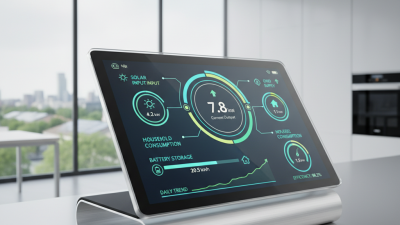
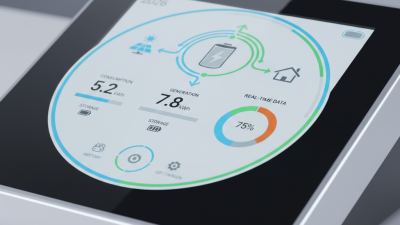
A Hybrid Inverter Display is the system’s small but critical window into power flow. It shows battery voltage, PV yield, grid status, load demand, and alarm codes. When that window goes blank, flickers, freezes, or reports strange values, the problem may not be the screen itself. Loose terminals, weak batteries, communication faults, firmware errors, and harsh temperatures can create similar symptoms. A technician should observe the inverter, cables, and surrounding environment together. A warm cabinet matters. So does a timestamp. PV educator Sean White captures the diagnostic mindset: “A fault code is a clue, not a diagnosis.” That principle is especially useful here.

This guide examines ten common display problems and practical solutions. It explains what to check before resetting equipment, replacing a board, or blaming the battery. Each section connects visible symptoms with safe inspection steps, likely causes, and sensible escalation points. A dim display after sunrise may suggest supply instability, not immediate screen failure. A frozen reading may reflect communication loss. An incorrect state-of-charge value may come from calibration or battery settings. Small details matter: a loose RJ45 plug, condensation beneath a cover, or voltage that changes sharply under load. Some diagnoses remain uncertain without a multimeter, event log, or qualified technician. That is an uncomfortable limitation. Guessing can waste time and damage equipment. Always follow the manufacturer’s manual and local electrical requirements. The aim is not merely to restore visible numbers. It is to recover trustworthy information for safer, more reliable energy management.

Top 10 Hybrid Inverter Display Problems and Solutions

Understanding Hybrid Inverter Displays and Common Fault Signals

Top 10 Hybrid Inverter Display Problems and Solutions

Understanding Hybrid Inverter Displays and Common Fault Signals

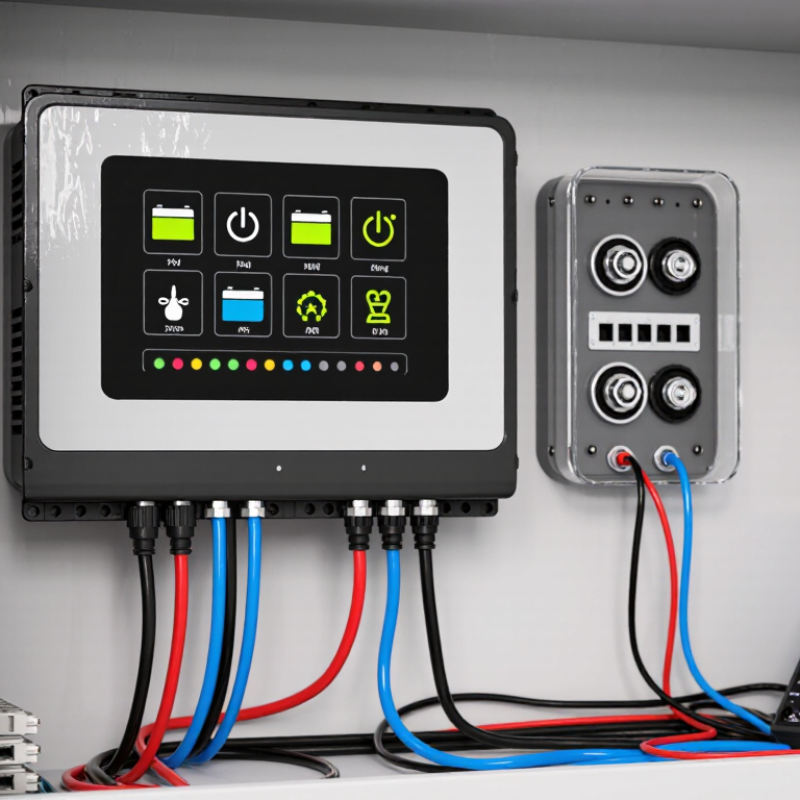
A hybrid inverter display translates electrical conditions into symbols, numbers, and warning codes. A blank screen may indicate lost auxiliary power, a tripped breaker, or a failed display connection. Check the supply safely before opening any enclosure. Flickering often points to unstable voltage, loose wiring, or a weakening internal power supply. Record the exact pattern. Memory matters.

Common signals include “PV absent,” “grid lost,” “battery low,” “overload,” and “overtemperature.” A PV warning can follow shade, dirty panels, or a disconnected string. A grid warning may reflect an outage or incorrect voltage settings. Low battery readings require checking state of charge, cable condition, and charging limits. Overload warnings usually need nonessential loads switched off. A hot cabinet needs airflow and time to cool. Do not ignore heat.

Other displays show communication errors, ground-fault alerts, or repeated restarts. Communication faults may involve damaged data cables or mismatched settings. Ground-fault signals demand isolation by a qualified technician. Never bypass protective functions. A reset can restore normal operation, but it may only hide the cause. I have seen this mistake delay repairs. Write down the code, time, weather, load level, and battery percentage before contacting service support. Screens can mislead. Measurements confirm. Recheck the manual because similar icons can represent different conditions.

Diagnosing Power, Wiring, and Communication Display Problems

Field service reveals ten recurring symptoms. Common signs include a blank screen, dim backlight, flicker, freezing, and restarts. Other signs include wrong voltage, missing battery data, communication faults, absent readings, and unexplained codes. When the display is dark, measure the inverter’s input voltage with a properly rated meter. Check the isolator, fuses, battery terminals, and polarity. Loose lugs often mimic a failed display. Do not test energized terminals without proper training.

A weak supply can also cause flickering or repeated startup. Inspect DC cables for heat marks, crushed insulation, and undersized conductors. On the communication side, verify cable type, connector seating, pin order, shielding, and termination. One reversed pair can remove battery data while power continues normally. Keep communication cables away from high-current conductors where practical. Grounding mistakes can create intermittent readings. That fault is frustrating. Record the exact code and operating conditions before resetting anything. Photos help reveal cable strain that memory misses.

For repeated faults, compare measured voltage with the value shown on screen. Then check the service manual’s acceptable ranges and communication settings. A display replacement may hide the real problem. I once trusted a clean connector too quickly; vibration had loosened the terminal behind it. That mistake changed my inspection routine. Retighten only to the specified torque, restore covers, and test under a controlled load. If readings remain unstable, stop and use a qualified technician. Remote guesses are risky.

Fixing Blank, Flickering, Frozen, or Unresponsive Screens

Top 10 Hybrid Inverter Display Problems and Solutions

A blank, flickering, frozen, or unresponsive screen can hide a normal operating system or signal a serious fault. According to IEA PVPS Trends 2024, global solar capacity passed 1.6 terawatts, increasing the need for dependable monitoring. Yet public industry reports rarely separate display failures from inverter failures. That gap matters. A dark screen may result from a failed display cable, low auxiliary voltage, blown fuse, or sleep mode. Check the system’s status through its monitoring portal, if available. Never open energized equipment. Record fault codes, screen behavior, temperature, and battery voltage before contacting a qualified technician.

Flickering often points to unstable power, moisture, loose connectors, or electromagnetic interference. A frozen display may follow a software crash or excessive heat. The U.S. Department of Energy’s 2024 Solar Futures data highlights the expanding role of power electronics in grid-connected solar systems, where heat and switching stress can affect long-term reliability. Allow the inverter to cool, then follow the manufacturer’s documented shutdown procedure. Do not repeatedly reset it. That habit can erase useful fault evidence. Sometimes, the screen is faulty while power conversion continues normally. Sometimes, it is the opposite.

Tips: Keep vents clear and inspect for condensation. Compare display readings with a calibrated meter. Photograph warning codes immediately. Check service records, because intermittent faults are easy to misdiagnose. If the screen stays blank after a controlled restart, isolate the system and request professional testing. A simple reboot helps, but it is not a diagnosis.

Resolving Error Codes, Monitoring Failures, and Update Issues

Top 10 Hybrid Inverter Display Problems and Solutions

A blank screen often points to a disconnected display cable, low auxiliary power, or a tripped protection device. Check the service manual before touching terminals. A frozen screen may recover after a controlled restart. Do not repeatedly cycle power, because stored faults can disappear. Flickering readings usually suggest unstable supply voltage, loose connections, or display failure. One mistake I still see is replacing the screen before testing the wiring.

Error codes need context, not guesses. Record the code, battery voltage, grid condition, and time of occurrence. Common problems include overtemperature, low battery voltage, communication loss, insulation alarms, and overload protection. Clear the alarm only after correcting its cause. A repeating warning deserves attention. A qualified technician should inspect energized parts and confirm safe isolation procedures. In my experience, a photo of the full display prevents many incorrect diagnoses.

Monitoring failures can come from network dropouts, incorrect time settings, damaged communication cables, or a failed data logger. Check whether local readings remain accurate. If local values work, the problem may be external monitoring rather than the inverter. Update failures often result from weak internet access, unsupported files, or interrupted power. Use verified firmware from the equipment provider and follow the approved update sequence. Never interrupt an update casually. I once treated a stale dashboard as a hardware fault, and that assumption wasted valuable testing time. Record the software version afterward, because memory can be unreliable.

Top 10 Hybrid Inverter Display Problems and Solutions - Resolving Error Codes, Monitoring Failures, and Update Issues
No. Display Problem Typical Symptoms Common Causes Recommended Checks Practical Solution Priority
1 Blank or Unresponsive Display The screen is dark, frozen, or does not respond to buttons. The inverter may or may not still be operating. Loss of auxiliary power, open DC or AC isolator, tripped protective device, internal control-board fault, or a failed display connection. Confirm safe AC and battery isolation-switch positions. Check whether status LEDs, fans, or communication devices are active. Inspect only accessible external wiring and protective devices. Restore the correct power path if a breaker or isolator has opened and the cause is known. Perform a controlled restart according to the installation manual. If power is present but the display remains inactive, arrange qualified service. High
2 Grid Overvoltage or Undervoltage A grid-voltage error appears, grid charging stops, or the inverter repeatedly disconnects and reconnects. Utility voltage outside the configured operating range, voltage drop in long or undersized cables, loose terminals, or incorrect regional settings. Measure AC voltage at the inverter terminals and at the distribution board with suitable equipment. Compare readings with the permitted range in the applicable grid code and installation documentation. Have an electrician tighten or repair connections, assess cable sizing, and verify settings. If voltage is outside the utility range, report the issue to the network operator instead of changing protection limits without authorization. High
3 PV Input Overvoltage The inverter refuses to start, shows a PV overvoltage message, or shuts down during periods of high solar irradiance. Too many modules connected in series, cold-weather string voltage exceeding the maximum input rating, incorrect string design, or wiring errors. Compare the measured open-circuit voltage of each string with the inverter's maximum DC input voltage. Recalculate the string voltage using the module temperature coefficient and the lowest expected site temperature. Do not reconnect a string that exceeds the permitted voltage. A qualified solar professional should redesign the string configuration, correct wiring, and verify polarity before commissioning. High
4 Battery Communication Failure Battery state of charge is unavailable, charge and discharge are disabled, or the display reports a communication timeout. Loose or incorrectly terminated communication cable, incompatible protocol or baud-rate setting, battery management system shutdown, or insufficient control power. Inspect the communication cable and connectors without working on live circuits. Confirm the selected battery type and protocol. Check whether the battery management system is awake and reporting a normal status. Reconnect or replace the communication lead with the specified cable type, select the correct protocol, and restart the battery and inverter in the documented sequence. Do not bypass battery management protections. High
5 Battery Overvoltage or Undervoltage Battery charging or discharging stops, the inverter enters standby, or a battery protection alarm is displayed. Battery state of charge outside the permitted range, cell imbalance, low temperature, incorrect battery-voltage settings, or a battery management system protection event. Review battery voltage, state of charge, temperature, and alarm history. Confirm that the battery chemistry and voltage class match the configured settings. Check for visible damage or abnormal heating. Allow the battery management system to complete its protective response. Correct configuration errors only within the approved limits. If the alarm returns, stop operation and contact a qualified battery technician for testing. High
6 Ground-Fault or Insulation-Resistance Alarm The inverter reports an insulation fault, residual-current warning, or earth-fault condition, often after rain or washing. Damaged PV cable insulation, wet connectors, pinched conductors, moisture inside a junction box, or an earthing problem. Isolate the system using the approved procedure. Look for damaged cables, water ingress, and poorly fitted connectors. Insulation-resistance testing should be performed only by a qualified person using the correct test voltage. Keep the affected circuit isolated until the fault is located and repaired. Replace damaged cables or connectors, correct water ingress, and repeat electrical safety tests before reconnecting the system. High
7 Overtemperature Warning Output power is reduced, the cooling fan runs continuously, or the inverter shuts down during high-load or high-temperature periods. Blocked ventilation, direct solar exposure, high ambient temperature, dust buildup, excessive load, or a failed fan or temperature sensor. Verify required clearance around the enclosure. Check air inlets and outlets for dust or obstruction. Review operating temperature and load history, and listen for abnormal fan noise. Improve ventilation and shade where permitted, remove external obstructions, and clean the enclosure according to the maintenance instructions. A failed fan or sensor should be replaced by qualified service personnel. Medium
8 Monitoring Data Missing or Delayed The local display works, but the web portal or mobile dashboard shows no recent data, flat-line readings, or an incorrect last-update time. Wi-Fi or Ethernet interruption, weak wireless signal, router replacement, incorrect network credentials, cloud-service interruption, or a failed data logger. Check the inverter's communication icon and local network status. Confirm that the router has internet access and that the data logger is powered. Compare local inverter readings with remote data timestamps. Restore network connectivity, update the stored network credentials, or reconnect the data logger according to the instructions. Avoid factory-resetting the inverter unless configuration data has been recorded and a reset is necessary. Medium
9 Firmware Update Failed or Interrupted An update remains pending, stops partway through, reports a validation error, or leaves the inverter in a restricted operating mode. Unstable internet or power supply, incorrect firmware package, insufficient storage, incompatible hardware revision, or interruption during the update process. Record the displayed error and current firmware version. Confirm that the package is intended for the exact inverter model and hardware revision. Check network stability and system event logs. Do not switch off the inverter during an active update unless the official recovery procedure requires it. Retry only with a stable connection and the correct package. If recovery mode is required, use qualified service support to avoid disabling protective functions. High
10 Incorrect Time, Energy Totals, or Operating Mode Scheduled charging starts at the wrong time, daily energy resets unexpectedly, or the display shows inconsistent import, export, and battery values. Incorrect time zone, daylight-saving setting, meter orientation, current-transformer direction, reset date, or an operating mode that conflicts with the intended schedule. Compare the inverter clock with local time. Review time zone, daylight-saving, tariff, and battery schedule settings. Verify meter direction and compare displayed power with a trusted electrical measurement. Correct the clock and schedule settings, then verify the selected self-consumption, backup, or time-of-use mode. A qualified electrician should correct meter wiring or sensor orientation and confirm readings under load. Medium
Safety note: Hybrid inverter systems can contain hazardous AC and DC voltages, including stored energy in batteries and capacitors. Electrical testing, enclosure opening, firmware recovery, and wiring repairs should be performed only by appropriately qualified personnel using the applicable local safety procedures.

Preventing Recurring Display Problems Through Testing and Maintenance

Top 10 Hybrid Inverter Display Problems and Solutions

A blank screen, flickering icons, delayed readings, or random error codes can indicate deeper inverter issues. Common causes include loose cables, low battery voltage, moisture, heat, dust, communication faults, and damaged display components. Preventing recurring problems requires more than replacing a screen. Technicians should test the inverter under different loads and record when each symptom appears.

Inspect terminals for oxidation and tighten connections with the correct torque. Check battery voltage before startup, then compare it with the displayed value. Clean air vents carefully, especially after dusty installation work. During maintenance, review stored alarms and confirm that firmware settings match the battery and grid configuration. A simple restart may hide the fault. It does not repair it. I have seen teams replace displays without testing the supply circuit, which allowed the same failure to return.

Tips: Photograph the display before changing settings. Test at morning startup and during peak load. Keep a log of temperature, voltage, alarms, and repair dates. Use an insulated meter and follow the manufacturer’s safety instructions. If moisture appears behind the screen, isolate the equipment and investigate sealing, condensation, and ventilation. Do not ignore small flickers. They often appear before a complete display failure. A quarterly inspection is useful, but harsh environments may require monthly checks. Calibration records should also be reviewed, because inaccurate readings can lead to incorrect maintenance decisions.